L-MOUNT Forum

Register a free account now!

If you are registered, you get access to the members only section, can participate in the buy & sell second hand forum and last but not least you can reserve your preferred username before someone else takes it.

Moiré - S5ii

RuleOfThirds

Well-Known Member
Joined
Nov 16, 2023
Messages
1,094
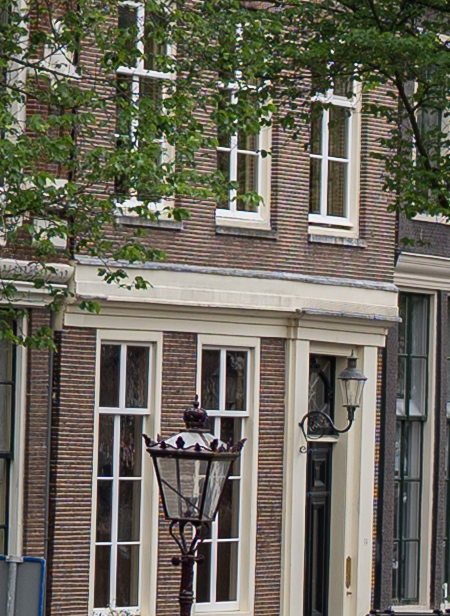
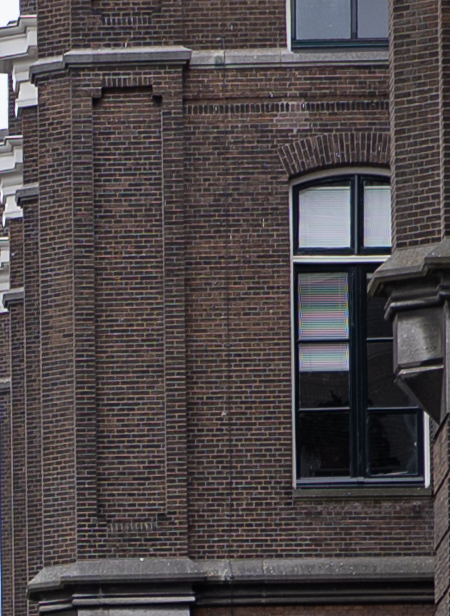
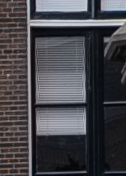
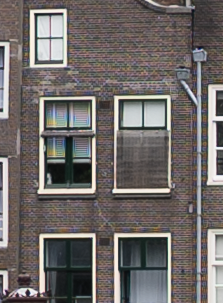
After examining my pictures from Amsterdam I noticed how much pictures were effected by the moiré effect. What can I do to fix/reduce that because it's really ugly. Maybe buy the 24-50 Typoch lens, not delivering enough resolution for it to show up... joking aside. Is the S1ii or S1ii-E better in this regard ? Or better with high resolution bodies, S1Rii or SL3 ?

Or has it to do with Adobe Lightroom ? How they process the raw files. Then I might have to switch to another software solution
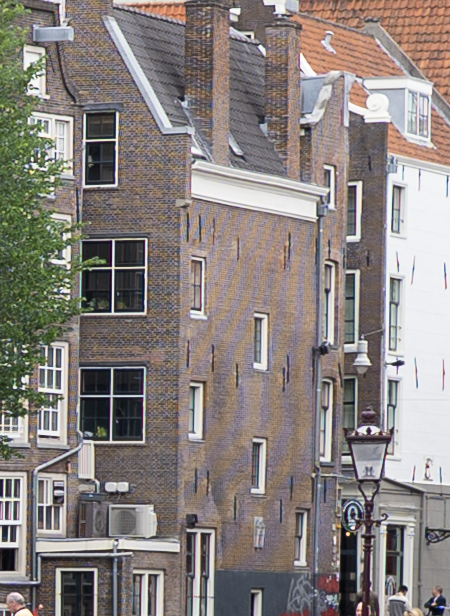
 
1780826911222.png


Bit more subtle
1780826985097.png


Extreme
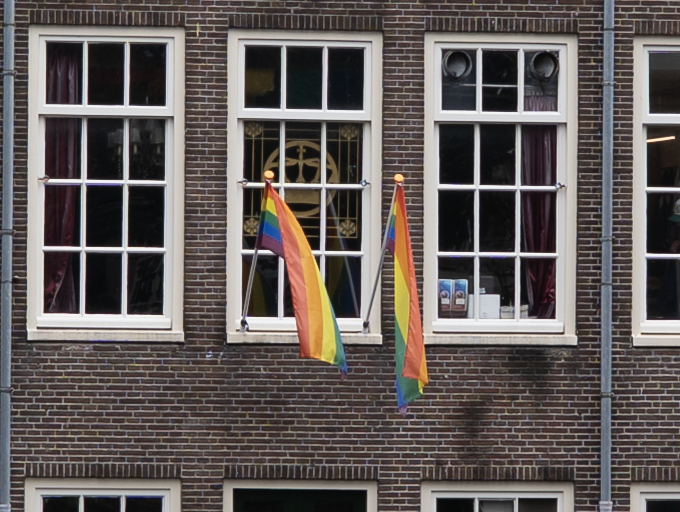
1780827036538.png


But almost every brick house has a very subtle, but noticeable for me, some purple/greenish glow over it when using min aperture + 2 stops or so, so at the point that a lens becomes sharp. Little bit like to the bricks surrounding the extreme case of moiré. It's not very noticeable, but it is there.
 
Last edited:
That‘s a common problem for cameras without low pass filter. You get better sharpness but the risk of moiré patterns. Any photo editor should be able to handle this problem. Can´t Lightroom fix that automatically?
 
That‘s a common problem for cameras without low pass filter. You get better sharpness but the risk of moiré patterns. Any photo editor should be able to handle this problem. Can´t Lightroom fix that automatically?
I know it is inherent to no low pass filter. No, there is no setting I know off. But I’m also curious if a higher resolution sensor eliminates this. My previous 26mp ap-c Fuji did not show this at all, even with ultra sharp XF lenses like 90/2 or 18/1.4 and also no low pass filter
 
As I understand it, a higher resolution sensor will help minimize it, but not eliminate it. Perhaps it would work well for those shots, but I do not know.

If you want, send me a file and I’ll see how Capture One handles it.

Or, perhaps the Kolari drop in filter?
 
I think it is time to upgrade to SL3 and use it for 10 years :cool:. Putting my s5ii up for sale as well I guess. As is my 24-105 (not here, but could do that). Well S1rII is a realistic possibility. I guess S1ii will have the same moire pattern problem. The sensor layout of Fujifilm is partially is what it is because of combatting this moire introduced by bayer layout.
 
After examining my pictures from Amsterdam I noticed how much pictures were effected by the moiré effect.
Perhaps you missed the thread here on the forum about the Kolari OLPF filter. It looks like it should be a good solution for moiré.

I purchased one for my S1 Mk2 but have not had a chance to evaluate it yet. My experience with past cameras is that it is always an issue, and yes, improves somewhat with higher pixel count sensors, but it is still there. Also, it is generally a larger issue with video because moiré can wiggle around with a pan and is very distracting (so all high end video cameras have OLPF filters).
 
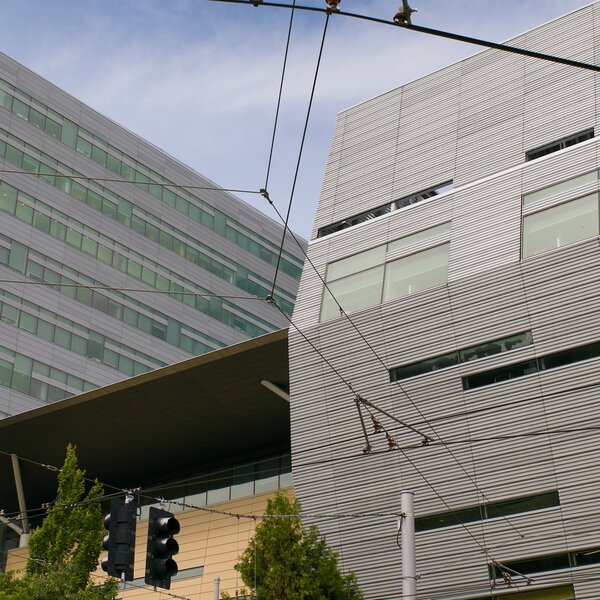
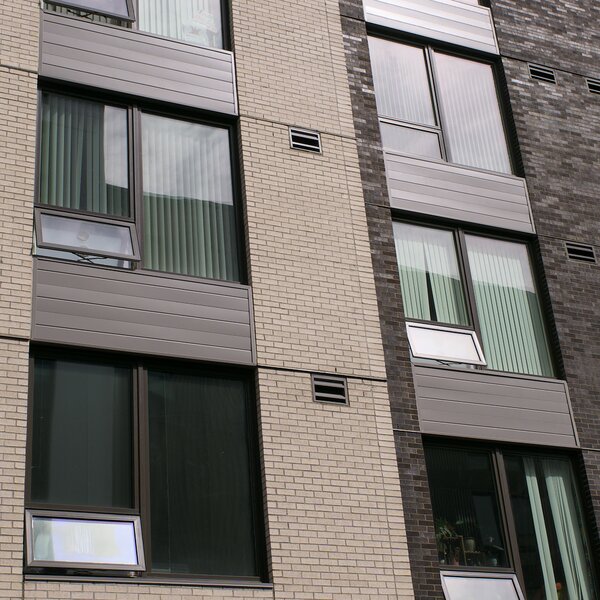
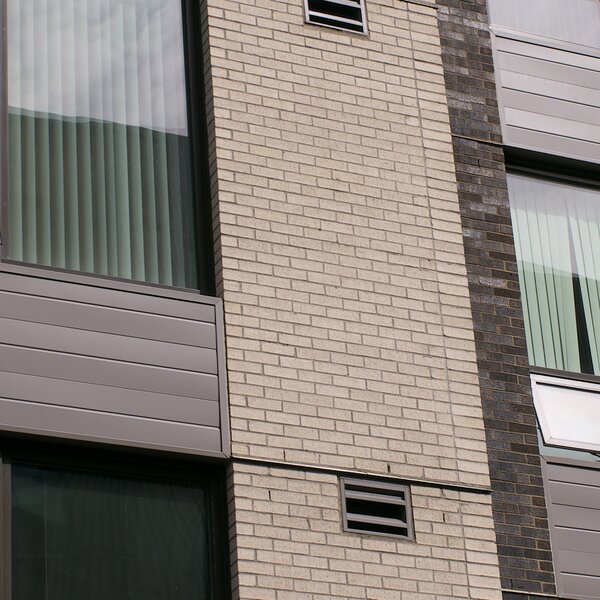
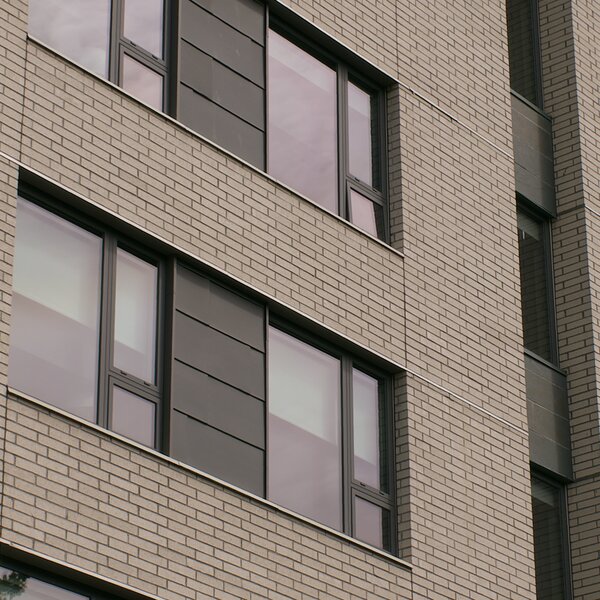
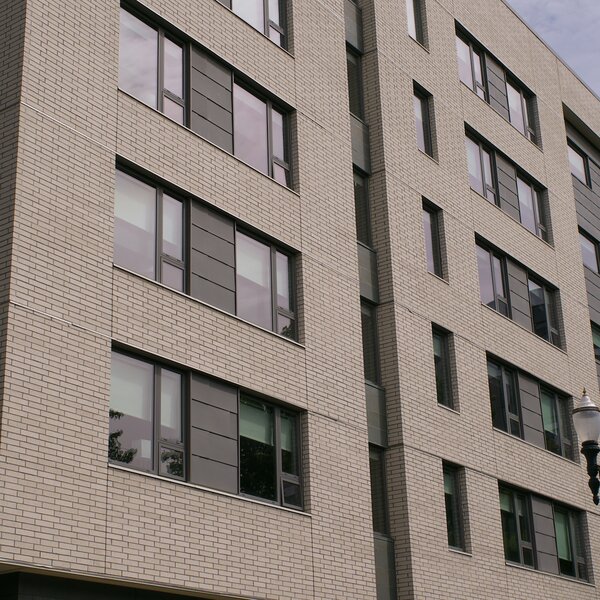
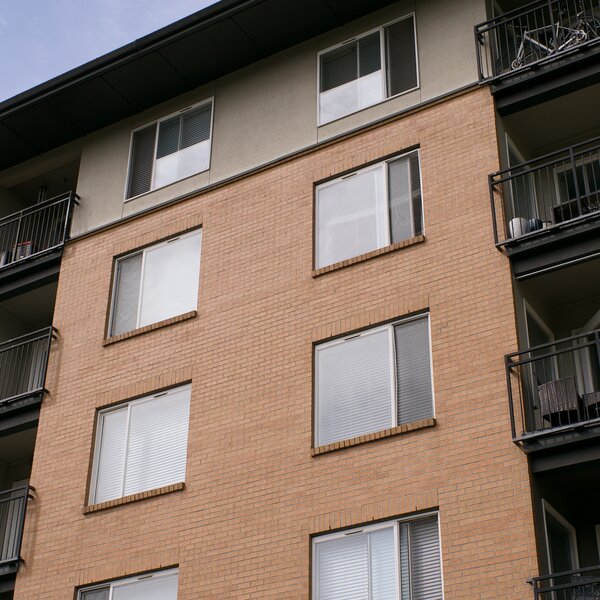
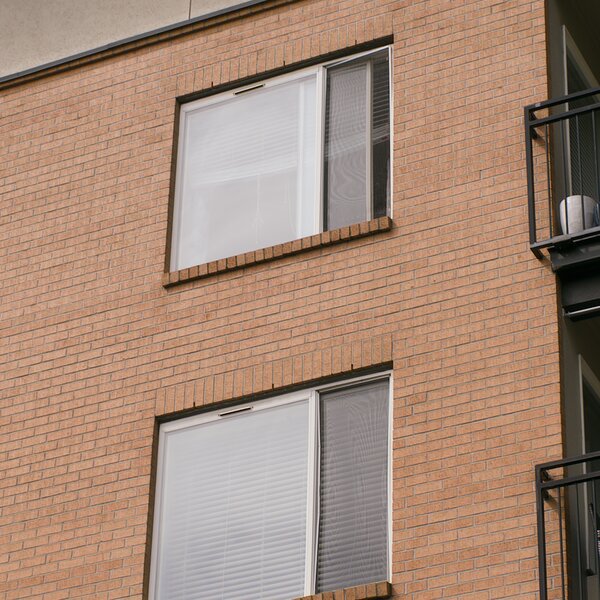
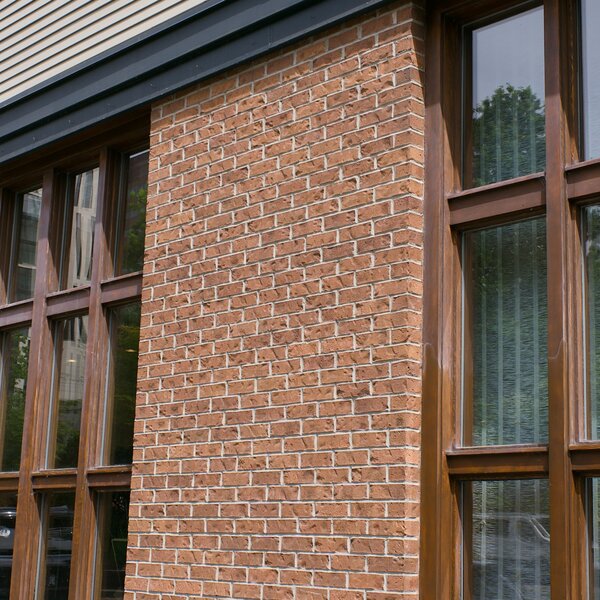
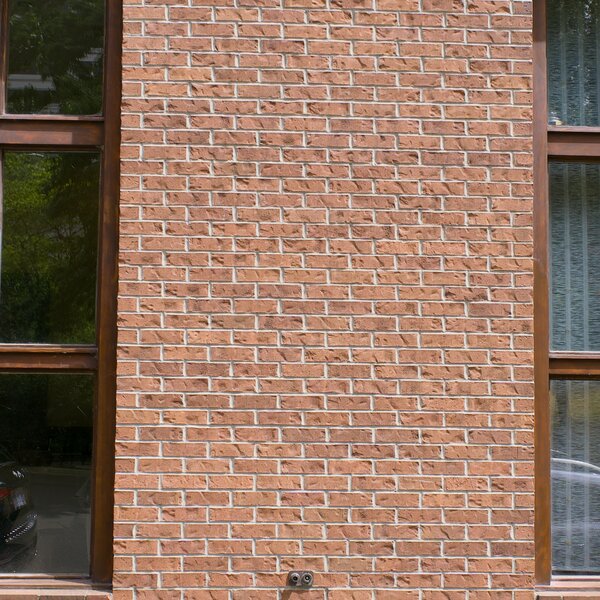
I photographed bricks & metal siding today. :) My S5iiX has a Kolari OLPF installed. These images are the middle 2000 x 2000 pixels cropped from 24MP and 96MP (HiRes) RAW files. I used Pixelmator Pro v3.8 to crop the photos, and to do a basic one-button auto-adjust, and 10% sharpness increase. PPro doesn't remove moire/aliasing. I exported the RAW photos out as 90% quality JPEGs. I only see objectionable moire/aliasing in one of these photos (the first one). I'm very happy with the filter's performance.
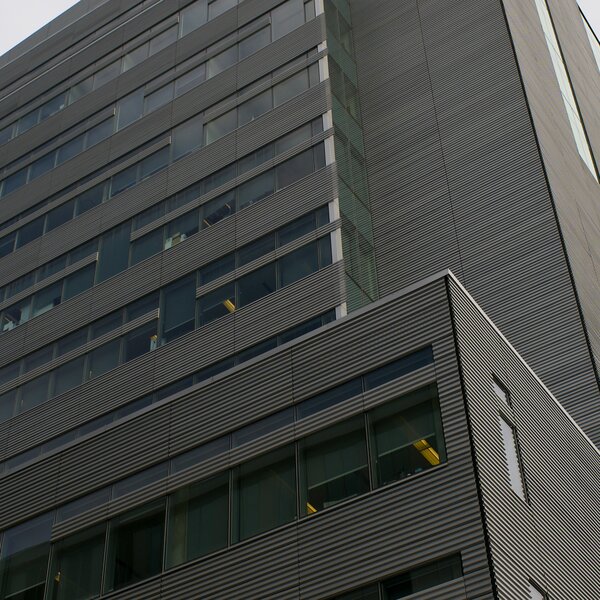
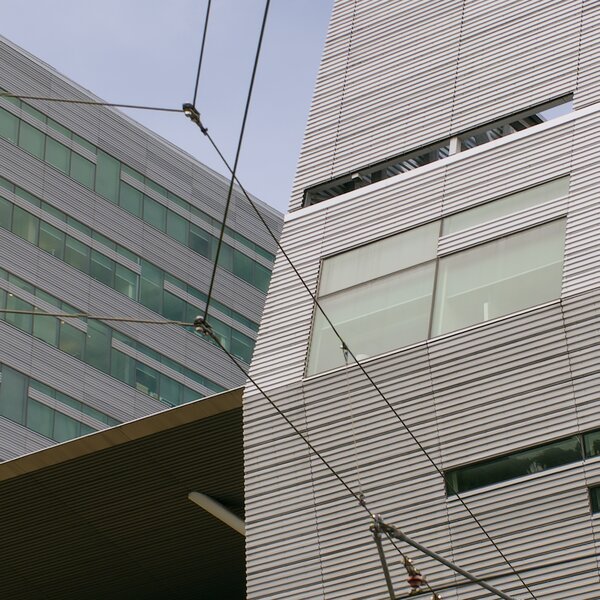
NOTE: View the images at 100%. Otherwise you'll see moire/aliasing caused by your monitor.
p1003066-bricks-crop.jpg

p1003067-bricks-96mb-crop.jpg

p1003071-bricks-96mb-crop.jpg

p1003070-bricks-crop.jpg

p1003065-bricks-crop.jpg

p1003064-bricks-96mb-crop.jpg

p1003063-bricks-96mb-crop.jpg

p1003062-bricks-crop.jpg

p1003061-bricks-crop.jpg

p1003060-bricks-96mb-crop.jpg


p1003040-bricks-crop.jpg

p1003039-bricks-crop.jpg

p1003037-bricks-crop.jpg
 
Last edited:
Thanks for that work @PDX. Yes, there is some moiré on the first one, and on the third from the last there is moiré on the window screens. But overall it is a very good performance by the Kolari OLPF. My expectation is that @RuleOfThirds photos in Amsterdam would be much improved with the Kolari.

Both Photoshop and Lightroom have a method to control/remove moiré. But I've never used them so I don't know how well they work. And I'm not far enough along with DaVinci Resolve 21 to know about it.
 
Maybe have to look in to it. I must say the lighting last Sunday was like a big white too bright soft box, which from experience, brings the worst out of cameras/lenses in my opinion. Dull no, shadows, subdued cold colors and much more chance on fringing. Washed out backgrounds. Twice as hard to take compelling daylight pictures in my opinion. And I think it also contributed to the moire. Never saw it this much, but normally don’t go out shooting on such days lighting wise.
 
I found out that you can use moire "fix" with Lightroom cc. It's very easy actually. Paint with the adjustment brush over the area's with moire, and then use the moire slider in de detail screen. Besides removing moire it does not degrade the image for as far I can see. So @Prosecutor our were right! Thanx. Your tip made me search more.
 
I found out that you can use moire "fix" with Lightroom cc. It's very easy actually. Paint with the adjustment brush over the area's with moire, and then use the moire slider in de detail screen. Besides removing moire it does not degrade the image for as far I can see. So @Prosecutor our were right! Thanx. Your tip made me search more.
Very cool. I'd love to see a side-by-side, before & after center-crop example. Cheers.
 
I will try to do this weekend, I'm just back from a business trip
 
1781428479674.png
1781428496468.png
 
1781428755697.png
1781428741082.png


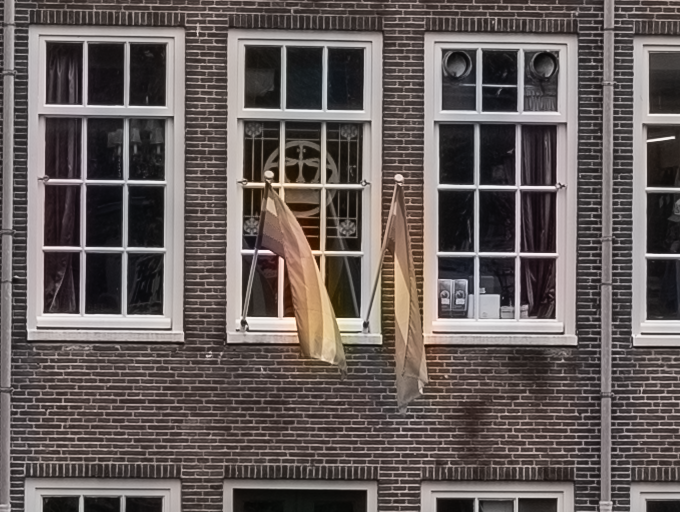
These are 100% crops, because the tool uses a paint brush you only effect the image where you paint the effected area. The small difference in lighting is that I used to the auto exposure tool, and the part with the moire is the original, before the auto exposure
 
  • Like
Reactions: PJD
You have to be careful though:
1781429227909.png
1781429248362.png


But careful painting solves that
:)

1781429391198.png
 
Today I looked at the in body jpgs on card 2 for reviewing some pictures not intended to use the raw, and for fun I checked the these as well with MacOS preview. And stunner: only one had visible moire. So the camera pipeline it self handles it much better then Lightroom does. And I did like the colours too. Maybe I should use the in-body jpg more. Or the quest for a new raw conversion tool.
 
Someone already mentioned Resolve 21 but I did want to echo that…it specifically supports Lumix raw on the new photo page. I’m considering buying a Kolari drop-in, as I own multiple S series bodies, but I am hoping the price might drop at some point.

ProMist and similar filters seem to help a little, but then you need to fix contrast.

These examples in this thread are legit and worth discussing, but other than real challenging shots like those here that really push moire conditions, I feel like in general terms the S series moire is a bit over-emphasized in the narrative about these cameras.

Pyxis 12K defeats this moire problem handily with the combo of crazy resolution and a built-in OLPF, but it’s not exactly the fastest/simplest device to use for stills. I bring the Pyxis up mostly because as an L mount shooter that already had a bunch of lumix bodies, I found it a natural progression to the Pyxis. Similar vibes if you will.
 
Thanks for that work @PDX. Yes, there is some moiré on the first one, and on the third from the last there is moiré on the window screens. ...
Occasionally there are physical objects which exhibit moire patterns when viewed with one's mark 1 eyeballs. IOW, your eyes see the moire when looking directly at the object. Not the optical effect of the object's fine lines clashing with a camera sensor pixel grid.

I'll make a point of looking for such an example -- a fine metal mesh window screen is a common culprit -- and photograph it with the Kolari OLPF installed. I'm curious if the filter reduces this type of real-world moire. However, I probably won't do an A/B "with" vs. "without" test; removing & installing the filter outdoors is awkward. Not a big deal; I'm just curious. Cheers.
 
Back
Top