L-MOUNT Forum

Register a free account now!

If you are registered, you get access to the members only section, can participate in the buy & sell second hand forum and last but not least you can reserve your preferred username before someone else takes it.

Anyone using the L mount Blackmagic cameras?

I love my S5iiX, but as a longtime former Blackmagic camera owner, I _really_ miss BRAW. (High quality 12-bit video even at relatively low data rates.) I’m tempted to get a BMD Cinema Camera 6K L-mount at the new lower price (and keep my S5iiX). My wife will kill me if I buy another camera. :) BTW, the add-on EVF for the CC6K, which I’d love to get also, is $555! Fortunately the camera’s built-in articulated LCD is big & bright. As with my previous BMD cameras, I’d even occasionally use it to capture STILLS using its time lapse mode and highest quality BRAW mode; e.g. infinite burst mode. Thinking …………..
 
I love my S5iiX, but as a longtime former Blackmagic camera owner, I _really_ miss BRAW. (High quality 12-bit video even at relatively low data rates.) I’m tempted to get a BMD Cinema Camera 6K L-mount at the new lower price (and keep my S5iiX). My wife will kill me if I buy another camera. :) BTW, the add-on EVF for the CC6K, which I’d love to get also, is $555! Fortunately the camera’s built-in articulated LCD is big & bright. As with my previous BMD cameras, I’d even occasionally use it to capture STILLS using its time lapse mode and highest quality BRAW mode; e.g. infinite burst mode. Thinking …………..
I got the EVF. Well worth it, IMO. Even helpful with a handheld cage in certain instances---necessary with a shoulder rig. Your comments about time lapse and infinite burst modes have got me thinking....
 
  • Like
Reactions: PJD
I got the EVF. Well worth it, IMO. Even helpful with a handheld cage in certain instances---necessary with a shoulder rig. Your comments about time lapse and infinite burst modes have got me thinking....
Yes, Blackmagic's EVF for the Cinema Camera 6K is very tempting. Interestingly, it previously sold for $495 US, but now the price is $60 higher. Possibly its components increased in cost (tariffs?), but the camera's components apparently decreased in cost. I like the EVF's small size, easy-to-attach design, and relatively good image for the price. I'll give it further thought.

Meanwhile, concerning using the camera's timelapse mode for shooting individual stills, and bursts of stills:

In previous versions of Blackmagic's camera firmware, when you pressed its STILL button, their cameras would record a 1-frame DNG image (possibly at the camera's current VIDEO resolution settings; I can't remember). In any event, you couldn't "play" (view) the DNG still on the cameras' LCD or external monitor.

In the current firmware, the STILL button records a 1-frame BRAW image (I don't know at what resolution or BRAW compression level). But even though it's a BRAW frame, I don't know if you can view it on the LCD or external monitor. The current user manual isn't clear on this point. What do you see there?

The advantage of using the camera's timelapse mode to record stills is that the timelapse _can_ be played/viewed on the LCD and via an external monitor. (But maybe the current firmware makes this a moot point if its STILL feature can play/view stills. I don't have a camera to test this.)

I created a preset for my cameras named "STILLS" to record in timelapse mode, highest-quality BRAW Constant Quality "Q0", full-resolution, ISO 200, "Shutter Speed" mode, and maybe a default shutter of 1/200th sec and IRIS f5.6 (or whatever), and probably also defaults for WB, AF, etc. These can be changed on the fly before pressing the regular RECORD button to start & stop the timelapse/burst. I also created presets for my most common VIDEO recording modes. A nice thing about Blackmagic cameras is that they can switch between presets pretty fast.
 
You may already know this, but a tip concerning when a Blackmagic camera is in "Shutter Speed" mode (not "Shutter Angle" mode): If you double-tap the value displayed between the "< >" brackets, you can set the Shutter Speed to be as brief as 1/5,000th sec. At least, this is how it worked 2 years ago when I last owned one of their cameras; I don't know about the current firmware. I'm curious to know if this is still possible. Note: This value interacts with the camera's current frame rate setting. The higher the frame rate, the shorter the possible shutter exposure value.
 
If video was my main line of work I would certainly use a Blackmagic system over Panasonic (or any other). The BRAW workflow is a delight and the camera operating system is far superior. Cinema Camera 6K with EVF is only $2300 and includes a license for Resolve Studio.

I was surprised when Blackmagic first announced an L-mount camera since this further fragmented their offerings. The Pocket Cinema line includes three cameras, there's two PYXIS, and three different URSA Mini Pro. But for some reason this camera is alone in its class.

There are hundreds of positives about this camera and only one negative: the single internal storage slot is a point of weakness. I simply don't understand this limitation, which none of their other cameras have. Yes you can rig up an SSD on the USB-C port, but the advantage of this particular model is that you can run with it more or less like an SLR.

Nonetheless, a great camera that I am sure you will enjoy!
 
  • Like
Reactions: PJD
I _finally_ placed an order today for a Blackmagic "Cinema Camera 6K" (L-mount). Found a bundle with 2 extra batteries & a charger from an authorized BMD dealer (Solid Signal on Amazon) for $1759 US with free shipping (and no sales tax in Oregon). This for a new (not used or open box) camera with BMD warranty & Davinci Resolve Studio. Should arrive in a few days. Looking forward to it.

I'll use it with the tiny 2TB SSD I often use with my S5iiX. It's very fast, so it should be able to handle full-res BRAW even at relatively high data rates. I also bought a black coiled (vinyl jacket) USB-C cable to use with the camera & SSD. The red one I have now is not very flexible (heavy woven jacket). Hopefully the vinyl cable will be more flexible. TBD.
 
… I also bought a black coiled (vinyl jacket) USB-C cable to use with the camera & SSD. The red one I have now is not very flexible (heavy woven jacket). Hopefully the vinyl cable will be more flexible. TBD.
I received the SmallRig coiled USB-C cable today. It’s perfect. Much more flexible than the cable I previously used, and appears to be high quality. After I get the new CC6K camera I’ll test the new cable with my SSD.

BTW, I also ordered a Tilta cage for the CC6K. I use a similar SmallRig cage on my S5iiX.
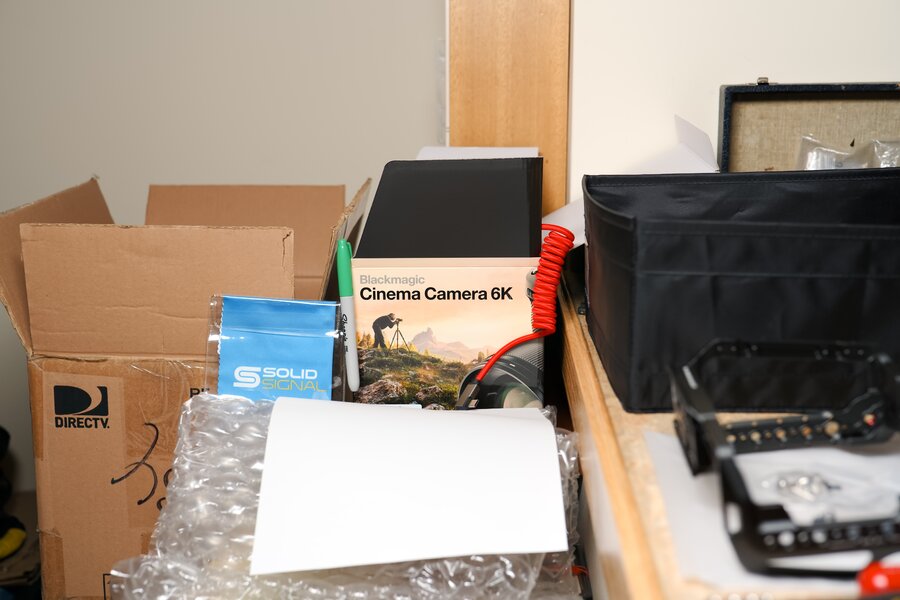
 
I received the SmallRig coiled USB-C cable today. It’s perfect. Much more flexible than the cable I previously used, and appears to be high quality. After I get the new CC6K camera I’ll test the new cable with my SSD.

BTW, I also ordered a Tilta cage for the CC6K. I use a similar SmallRig cage on my S5iiX.
Apologies. Stupid Amazon links don't persist. Here's the SmallRig coiled cable on B&H. It has a right-angle male USB-C connector at both ends. An advantage of this cable is its angled plugs are less likely to apply "leverage strain" on a camera's built-in USB-C connector. But, depending how you rig a camera for a particular shoot, the cable's angled plug might block adjacent connectors. Like everything, there can be trade-offs.

On a related note: SmallRig also sells a cable with a right-angle plug at one end, and a straight USB-C plug at the other end. I use one of these when access to adjacent camera connectors outweighs the advantage mentioned above. Ah, the joys of video production.
 
My Blackmagic Cinema Camera 6K arrived today. I'm very excited to have it, but I have a lot to remember (2 years ago I sold my BMD Pocket Cinema Camera 4K, so the cam's menus & buttons are almost identical). Today I've started adjusting the new cam's settings; not done yet.

Attached is a very boring 1st test frame, recorded using the cam's timelapse mode as described earlier: Open Gate (full-res 24MP), BRAW "Constant Quality Q0" (the highest-quality, least-compressed RAW setting).

Just as I remembered, timelapse BRAW clips can be played-back in-camera because they're stored in the media's root directory. Whereas, if you press the cam's STILL button, the captured images are stored in a sub-directory that the cam's play function can't access (all clips can of course be copied from the media to your computer for viewing/editing).

Note: BRAW files contain mountains of metadata, including all the basic info such as ISO, f-stop, shutter speed, etc. But for some weird reason Davinci Resolve Studio doesn't put that basic info in the EXIF of an exported TIF, PNG, or JPG. So, here I've added it using a EXIF editor. Tedious.

I hope to have time Thursday or Friday to capture a few stills and video clips outdoors during the day. So far, so good. Cheers.

pjd_261118-cc6k-002_11182035_c001.braw_1.2.1_l.jpg
 
In my limited experience, taking stills with a Blackmagic camera resulted in a very special look that I quite liked. I was only doing this to document takes on a music video shoot but ended up enjoying the photographs for themselves.

Have fun!
 
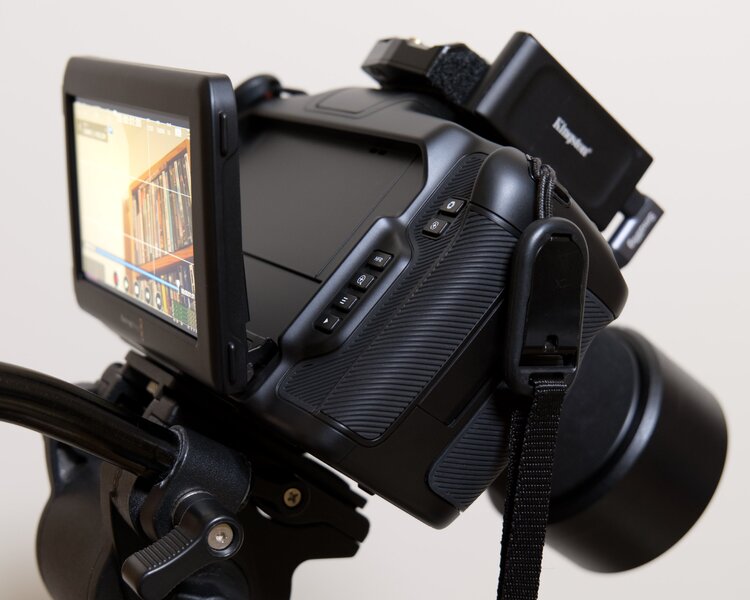
Serving suggestion: I'm still fine-tuning my Blackmagic CC6K camera menu and physical setups, but here's how I'll use it primarily for handheld shooting video & stills. On top is a 2TB Kingston SSD mounted (via hook & loop tape) on the side of a SmallRig NPF battery plate. The plate is bolted to the camera's top 1/4-20 thread. I'll mostly use internal batteries to power the camera, but the plate gives me the option to use bigger batteries. The plate connects via a small cable (not shown) to the camera's power input connector. Also below are examples of the CC6K's big 5" tilt screen in playback mode.

I'll also bring along my S5iiX body for capturing stills beyond the CC6K's capabilities.
pjd_261121-p1003726-cc6k-handheld-cc.jpg


pjd_261121-p1003727-cc6k-handheld-cc.jpg


pjd_261121-p1003736-cc6k-handheld-cc.jpg


pjd_261121-p1003732-cc6k-handheld-cc.jpg
 
Back
Top